PO Approval Via Email Example Process
Example process for approving a PO via email
Approval Via Email Example Process
1. Submitting a PO for approval
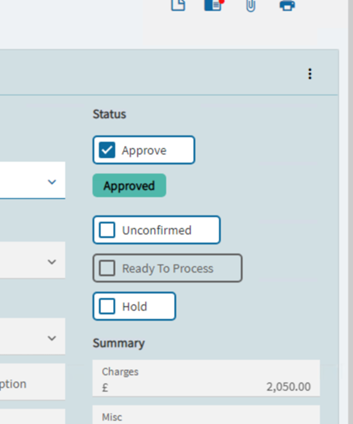
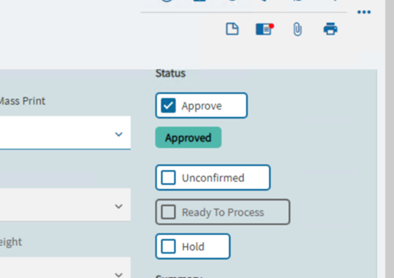
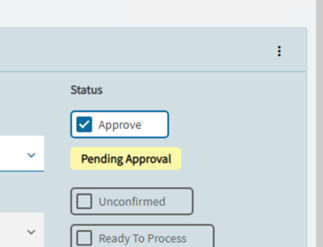
To start the process, click the ‘approve’ checkbox on a PO. A panel will pop up showing that approval is needed.
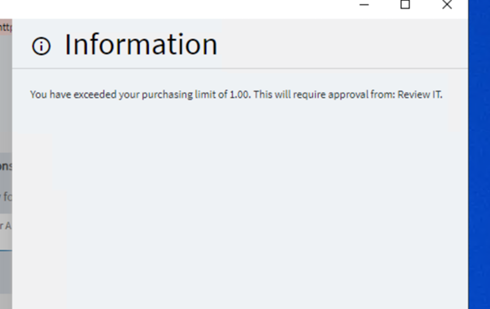
In the situation above I requested approval for PO 4996.
The PO Moves from Open to Pending Approval.
2. Approver Receiving email
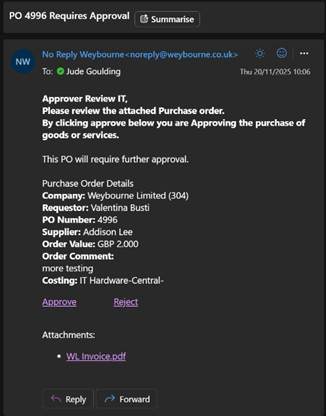
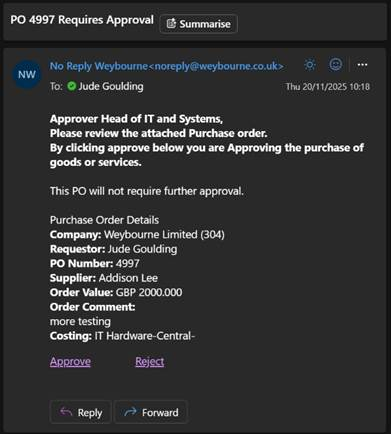
The approver will receive an email from the configured mailbox. It contains the process, action and the unique ID of the system task responsible
Here is the email I received from the system:
3. Approver Sending Response
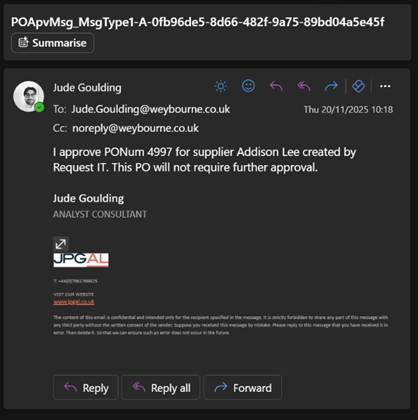
When clicking either link, the approver will be redirected to this email template containing the same information as the inbound one. The recipient is set to the buyer on the PO so they get a notification that it has been approved. The system sees this email because it is CC’d into it.
On clicking the ‘Approve’ link here is the email it constructed:
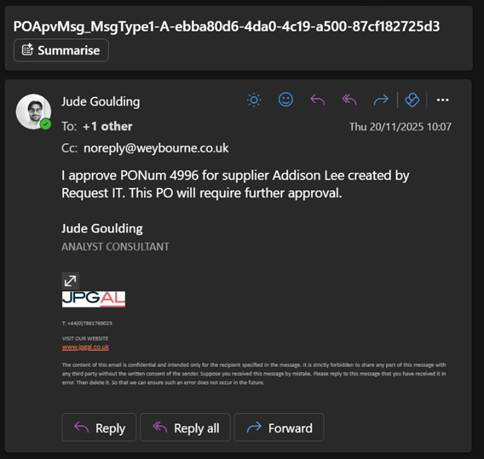
The subject is made up of the table, the field it is looking for, the A or R for approve or reject and finally the system task row ID to match with internally.
4. Response Processed
When the inbox processor runs, it steps through the inbox and looks for emails containing the right subject, checks they are from who it expects and then processes their action.
In the log file there are lines showing it finds the email, the email address matching or not and then the action being processed.

The PO is now approved
4.5 Approval layers
If a PO requires multiple layers of approval, for example if an approver tries to approve a PO with a value above their approved limit, then the process needs to check at the next layer. This will repeat until a buyer has the authority to approve it.
The process does this by sending an approval email to next approval layer if it tries to process approval from a buyer who can’t approve the PO.
For example:
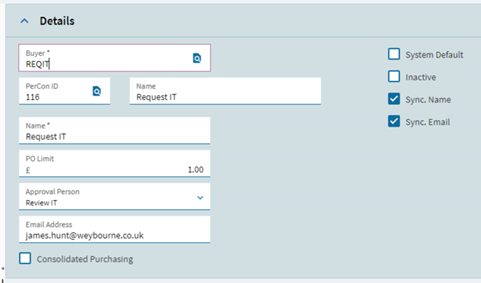
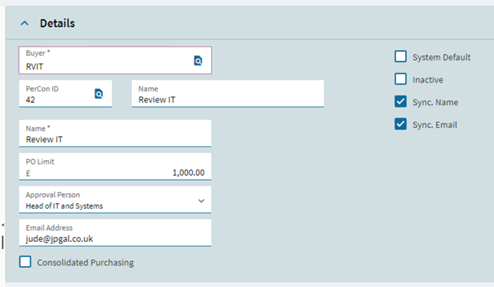
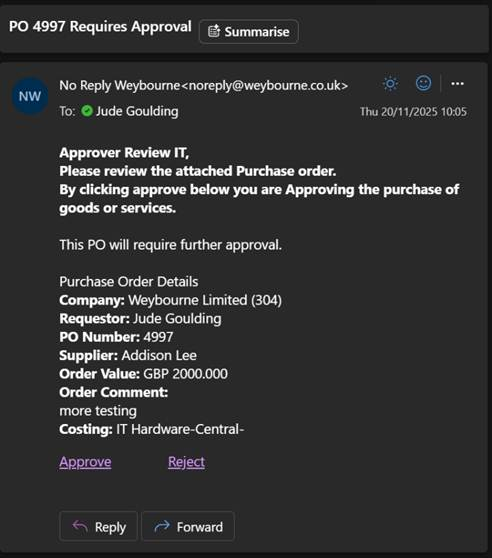
This PO has a value above both the buyer on it and the buyer’s approver. It follows steps 1 to 4 and then needs to send approval to the approver’s approver who can then approve or reject the PO.
Buyer:
Approver:
Higher Approver:
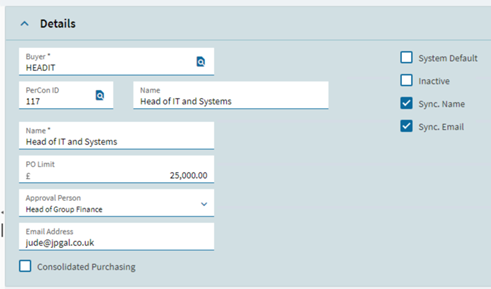
The PO 4997 has a value between 1,000 and 25,000 so that it requires HEADIT to approve it.
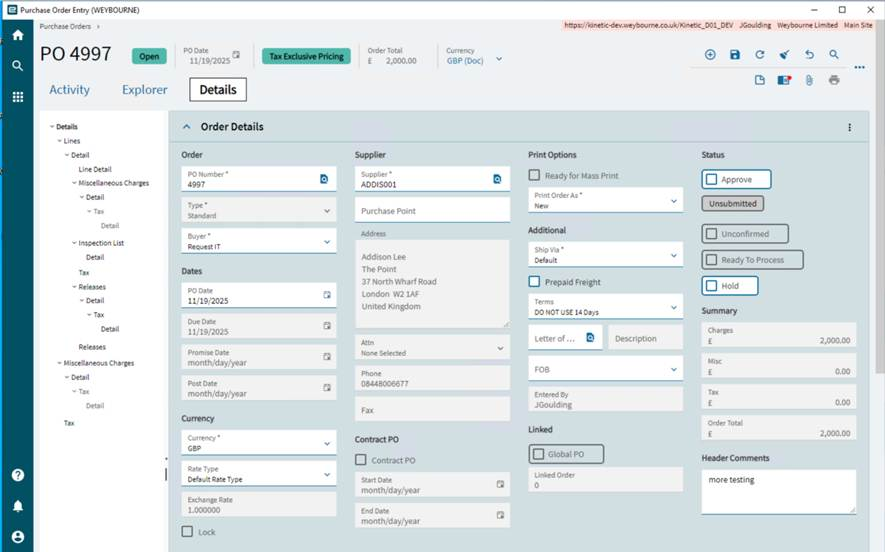
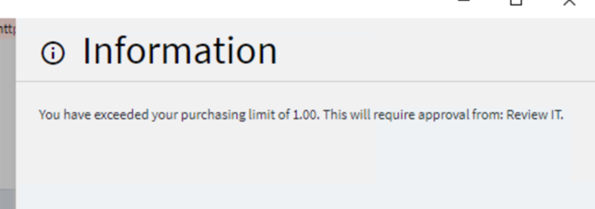
When I click “Approve” it slides out a panel informing of the required approval.
Then I receive the email as REVIT:
Email sent:
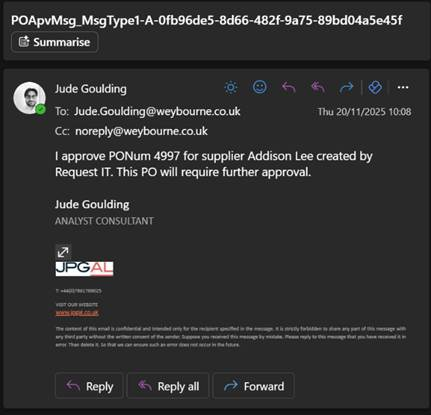
The PO is still pending as REVIT lacks the authority to approve it, so it is elevated to HEADIT.
HEADIT receives the email and sends response:
The previous two steps are repeated for as many layers as needed.
This allows the PO to be approved: