[SPEC] Salesforce User to Kinetic Sales Rep link rework
Business Requirement
Sales Reps in Kinetic are currently being incorrectly overwritten by the Salesforce integration process.
We need to stop this from happening while still keeping the connection between Kinetic Sales Reps and Salesforce users.
The solution must:
- Prevent Sales Rep records in Kinetic from being incorrectly overwritten by Salesforce.
- Keep the existing link between Kinetic Sales Reps and Salesforce users intact.
- Include processes for maintaining and enforcing a clearer set of cross reference data.
Current System
An overview of the integration can be found here.
The current linking mechanism can be found here.
Functional Link
For each Kinetic company, there should be a one-to-one relationship between a Salesforce User and a Kinetic Sales Rep.
This means:
- A Salesforce User can only be linked to one Sales Rep within a specific Kinetic company.
- For example, a Salesforce User can only be linked to one Sales Rep in the Spanish company.
However, the same Salesforce User can be linked to Sales Reps in different Kinetic companies.
For example:
- The same Salesforce User can be linked to one Sales Rep in the Spanish company, and one Sales Rep in the French company.
This allows the user to be associated with a separate Sales Rep record in each Kinetic company while maintaining a single Salesforce User account.
Cross References
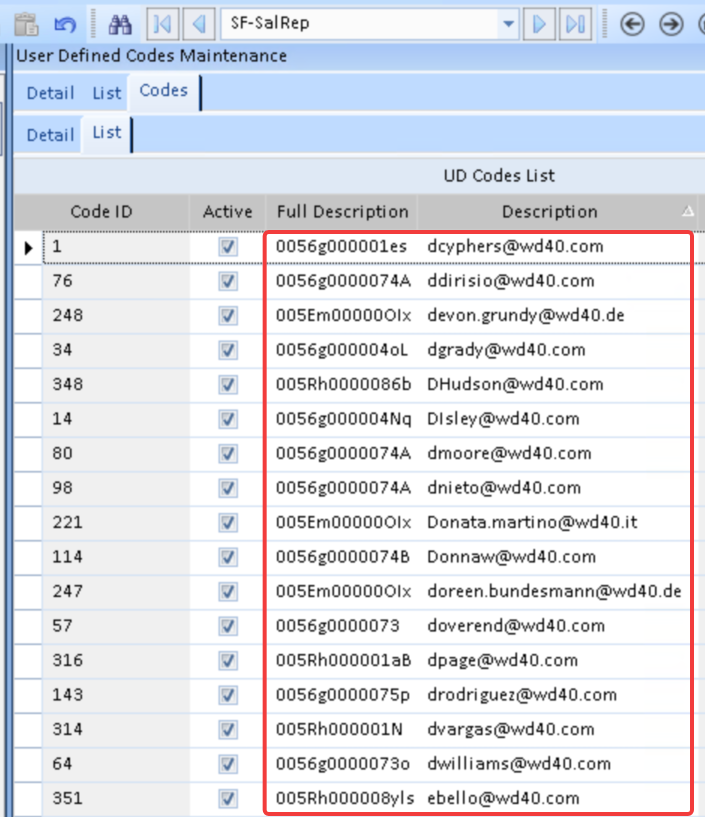
The relationship between Salesforce Users and Kinetic Sales Reps is managed through a cross-reference table in each company.
This table stores:
- The Salesforce User ID.
- The associated email address.
The cross-reference data is stored in the User Code table and is used to link Salesforce Users to the correct Kinetic Sales Rep records.
Related Records
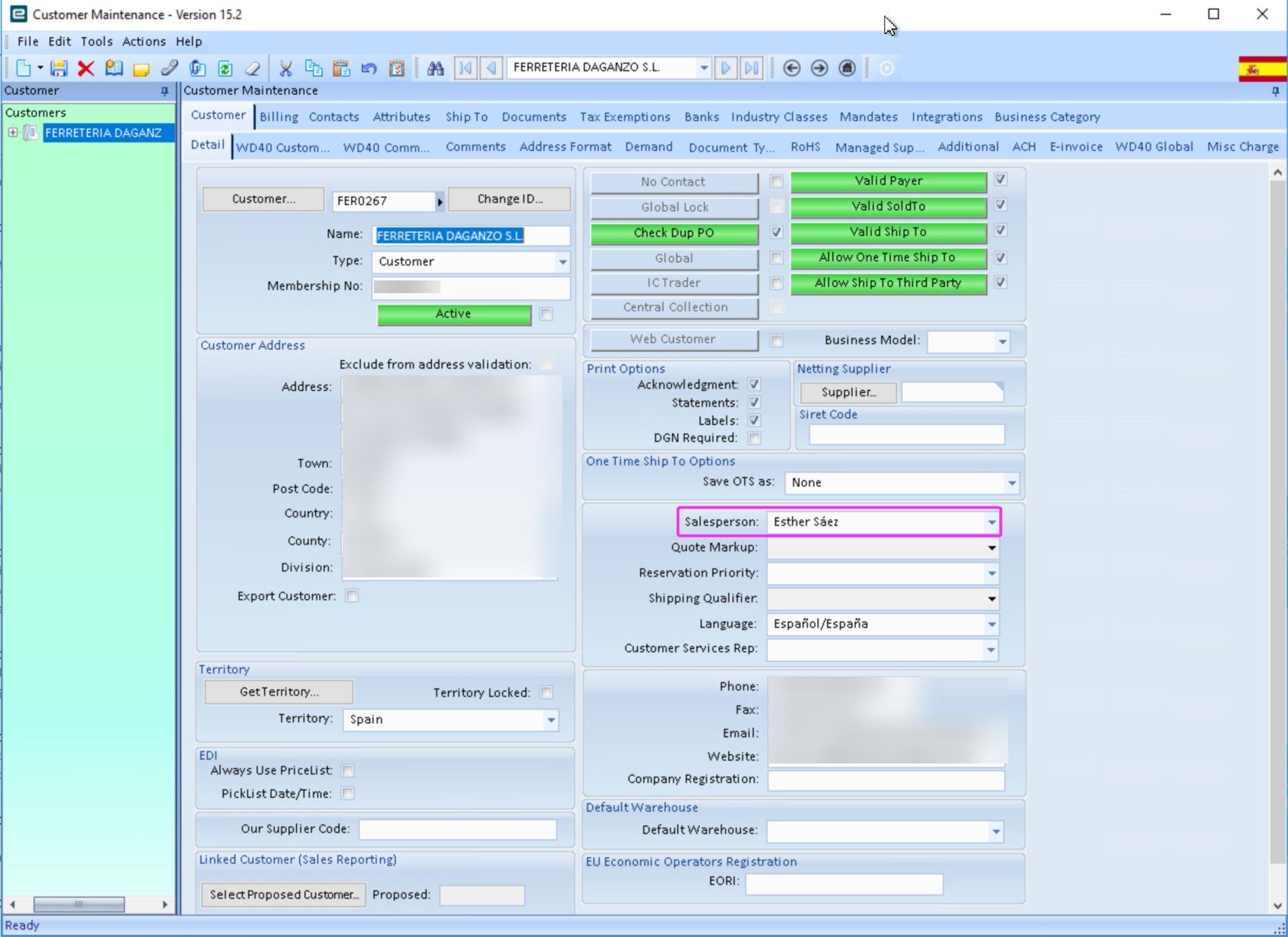
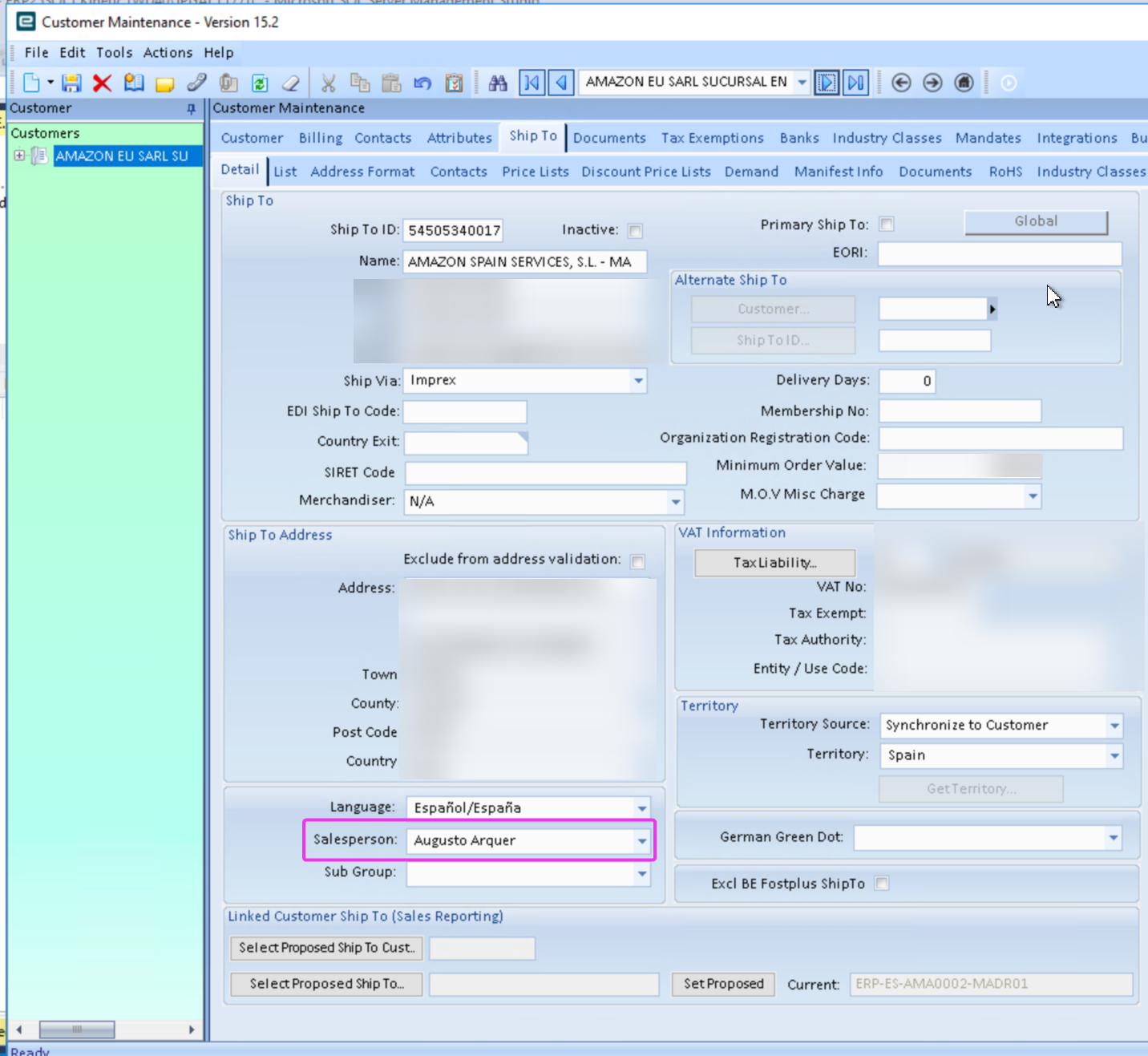
Sales Reps assigned to Customers and ShipTos in Kinetic.
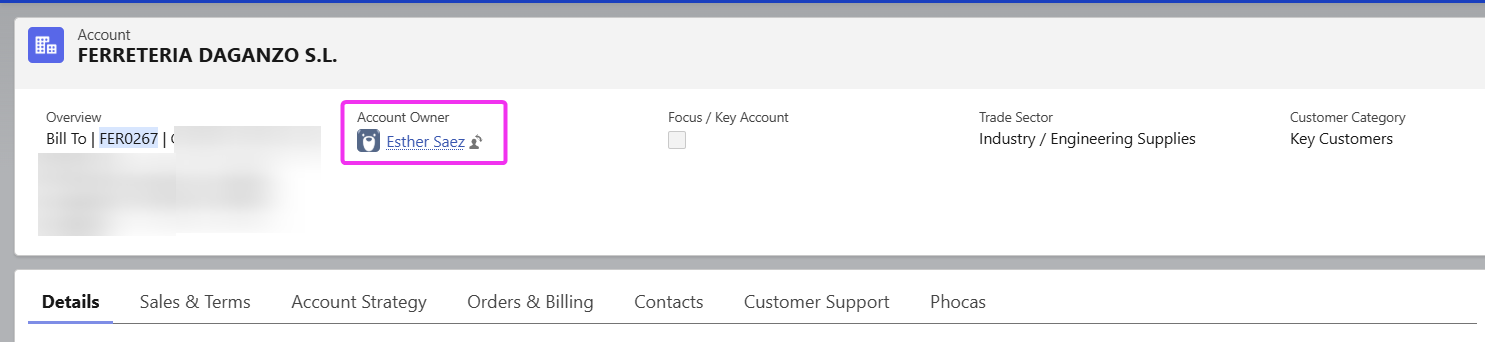
Users 'own' accounts in Salesforce.
Proposed Changes Summary
To improve the link between Salesforce Users and Kinetic Sales Reps, we will:
- Add a new Salesforce ID field to the Sales Rep table in Kinetic to replace the current cross reference table.
- Use this field to link Salesforce Users to Kinetic Sales Reps.
- Make sure the Salesforce ID is unique within each Kinetic company.
- Prevent Sales Reps from being activated or assigned to Customers or Ship Tos unless they have a Salesforce ID.
- Send an email alert if the integration cannot find a matching Sales Rep when sending or receiving data.
Project Steps
| # | Responsible | Action |
|---|---|---|
| 1 | JPGAL | Add a new custom field (SalesRep.SFUserID_c) to the Sales Rep table. |
| 2 | JPGAL | Add the new Salesforce ID field to the Sales Rep screen. |
| 3 | JPGAL | Create a BPM that prevents a Sales Rep from being created or activated without a Salesforce ID. |
| 4 | JPGAL | Create a BPM that prevents the same Salesforce ID from being assigned to more than one Sales Rep in the same company. |
| 5 | JPGAL | Create a BPM that prevents a Customer from being assigned to a Sales Rep without a Salesforce ID. |
| 6 | JPGAL | Create a BPM that prevents a Ship To from being assigned to a Sales Rep without a Salesforce ID. |
| 7 | JPGAL | Create a BAQ showing all active Sales Reps without a Salesforce ID. |
| 8 | JPGAL | Create a BAQ showing all Customers assigned to a Sales Rep without a Salesforce ID. |
| 9 | JPGAL | Create a BAQ showing all Ship Tos assigned to a Sales Rep without a Salesforce ID. |
| 10 | WD40 | Add a Salesforce ID to, or deactivate, all active Sales Reps that do not have one. |
| 11 | WD40 | Add a Salesforce ID to, or reassign, all Customers that are assigned to a Sales Rep without one. |
| 12 | WD40 | Add a Salesforce ID to, or reassign, all Ship Tos that are assigned to a Sales Rep without one. |
| 13 | WD40 | Update the Sales Rep onboarding process to ensure each Salesforce User is linked to only one Sales Rep per company. |
| 14 | JPGAL | Update the integration to use the new Salesforce ID field for linking records. |
| 15 | JPGAL | Update the integration to send an email alert if a Salesforce ID cannot be found when sending data to Salesforce. |
| 16 | JPGAL | Update the integration to send an email alert if a matching Sales Rep cannot be found when receiving data from Salesforce. |
Limitations and Considerations
- If a Salesforce User exists but no matching Sales Rep is found in Kinetic, Customers and Ship Tos will still be assigned to the placeholder Sales Rep (SalesRepID = 'INTEGR'). An email alert will also be sent.
- If a Salesforce Account contains a Salesforce User ID not configured in the Kinetic company, it will still be assigned to the placeholder Sales Rep (SalesRepID = 'INTEGR'). An email alert will also be sent.
- A Salesforce User can only be linked to one Sales Rep within each Kinetic company. This rule also applies to service accounts.