FAQ
How does the job transfer file upload process work?
This guide describes how a job transfer file is sent to a warehouse, for information on how a file is job transfer is created, please see here.
A job transfer file is created to instruct the storage warehouse to transfer the material for a job to the manufacturing warehouse.
The output location is determined by the below user codes associated with the storage warehouse.
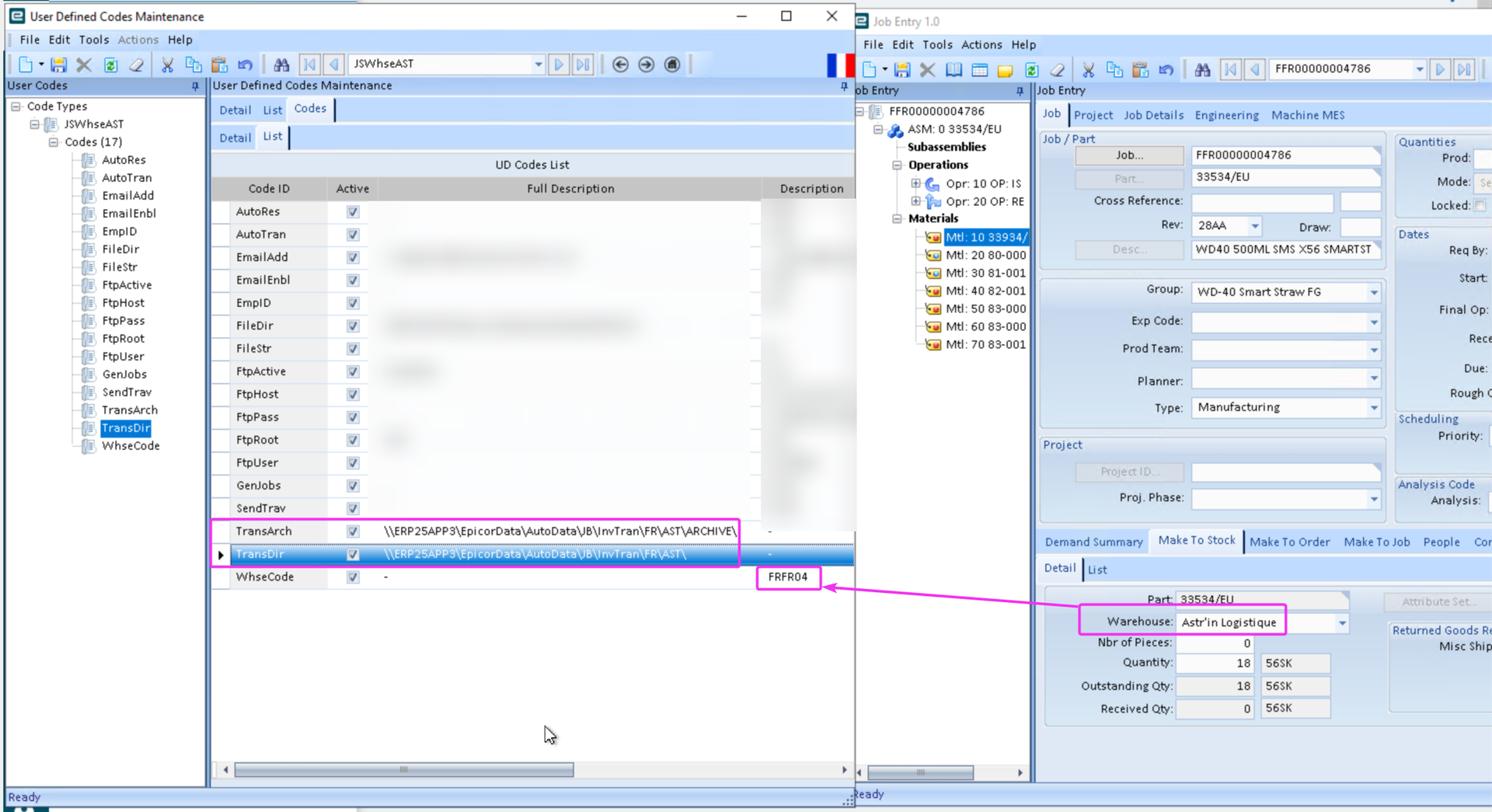
A scheduled task on APP3 picks up this file and transfers it to the same folder as WD40's internal order transmission files.
(Note: this is necessary as users do not have permission to write files to the order transmission location).
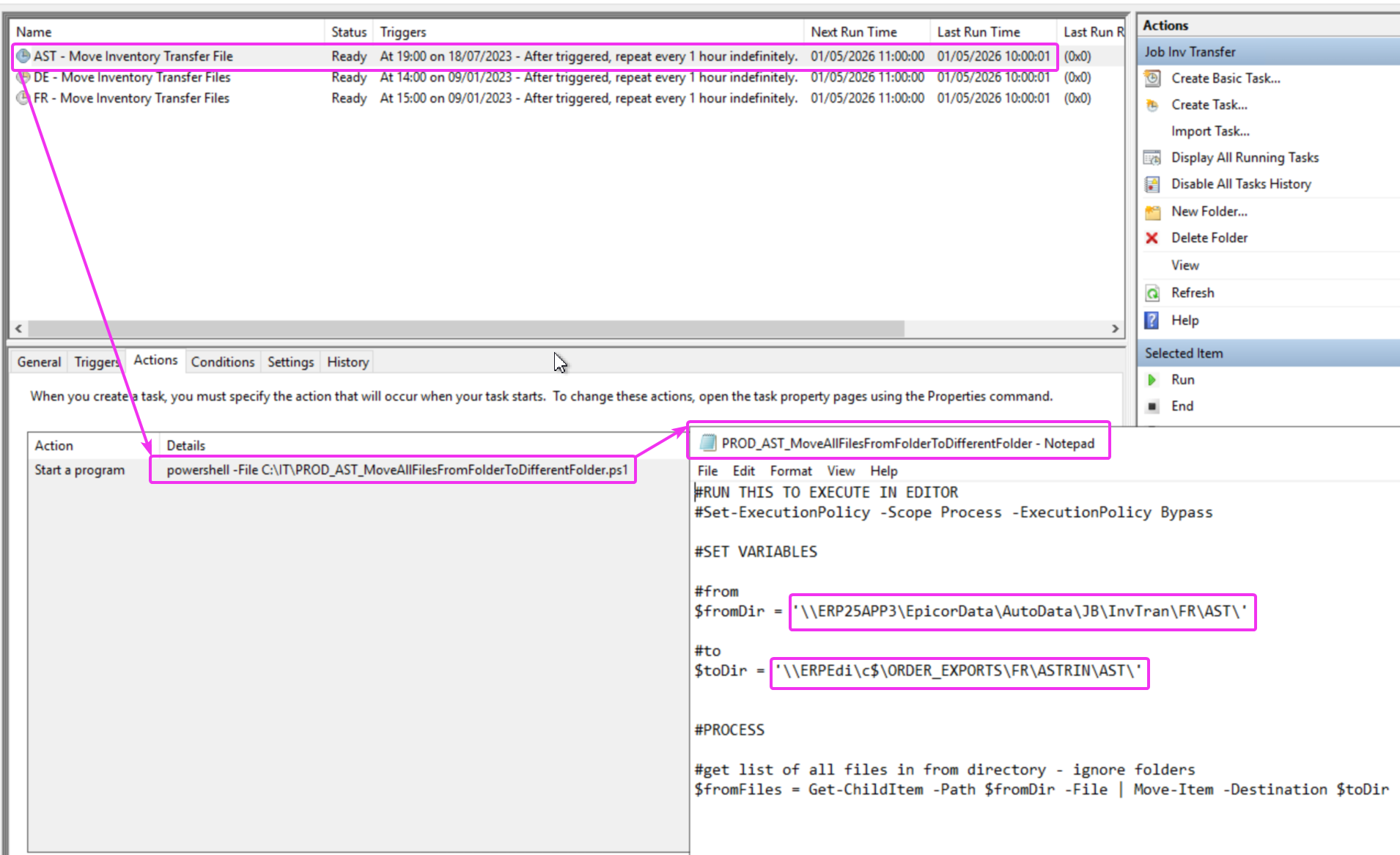
It is then agreed that these files will be picked up by WD40's internal order transmission process and uploaded to the warehouse's FTP.